In oblique photogrammetry projects, holes appearing in water surfaces, walls, or other structures are very common. This issue is often considered a persistent challenge in aerial mapping data processing.
This article explains the five common types of model holes, their causes, and practical solutions to improve 3D modeling quality.
Types of Model Holes and Their Causes
Common hole types include:
- Water surface holes
- Wall holes
- Under-bridge and under-tree holes
- Parapet and billboard holes
- Rooftop holes
Let's examine each one in detail.
1. Water Surface and Glass Surface Holes
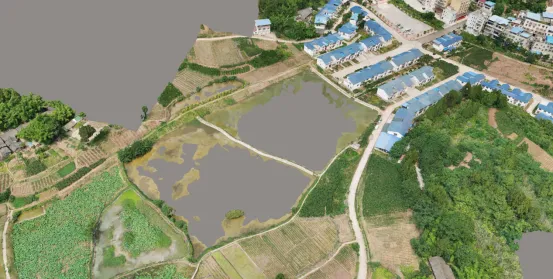
Water and glass surfaces are among the most common problem areas in 3D modeling.
Cause
Water and glass surfaces typically lack distinct feature points. During aerial triangulation, the software struggles to extract matching features from images. As a result:
- Images fail to match properly
- 3D reconstruction becomes incomplete
- Holes or broken surfaces appear in the final model
This issue is particularly common in:
- Lakes and rivers
- Glass curtain walls
- Reflective surfaces
2. Wall Holes
Wall holes generally occur for two main reasons:
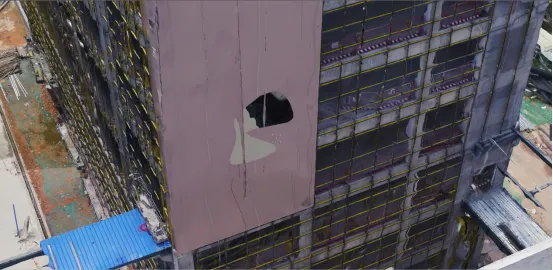 Hole in the wall
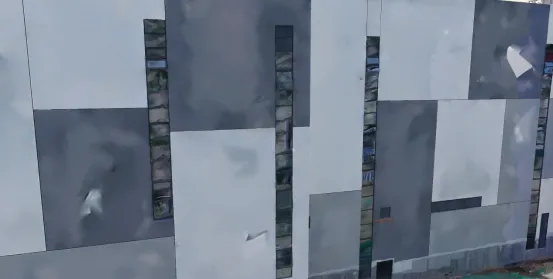 The wall is dented
Lack of Texture Features
Large areas of uniform-color walls contain very few feature points. This makes it difficult for modeling software to identify and match image features, resulting in:
- Wall holes
- Surface depressions
- Incomplete reconstruction
Dense Building Clusters
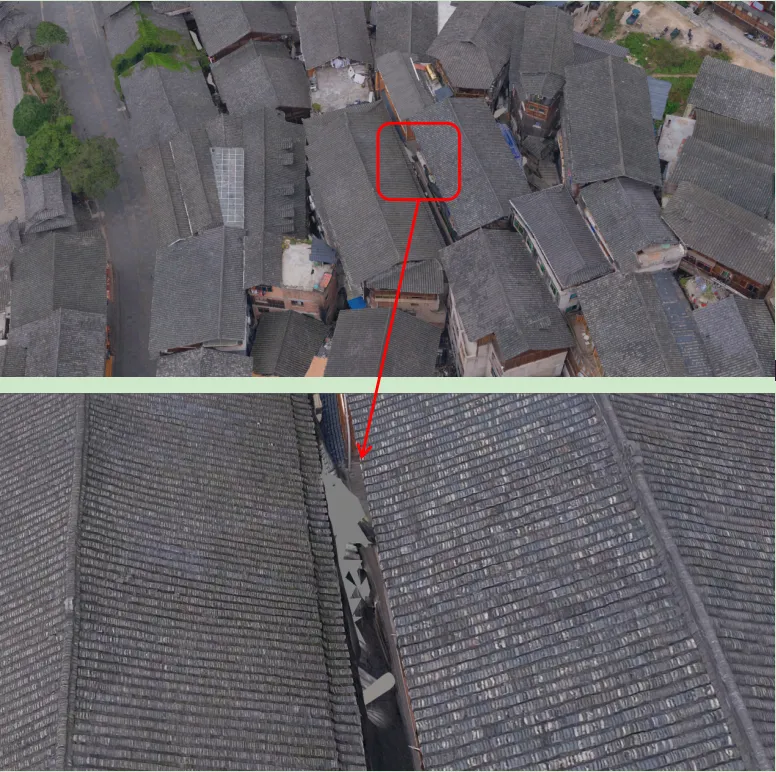 Holes in the gaps of buildings
When buildings are very close together:
- Drone cameras cannot capture narrow gaps
- No images are available for reconstruction
- Holes or model adhesion occur between buildings
This is especially common in dense urban environments.
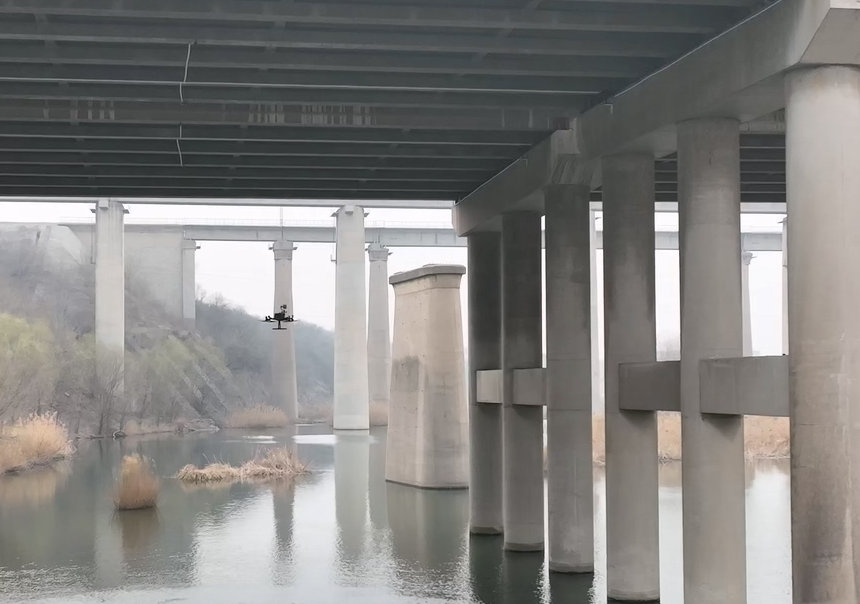
3. Under-Bridge and Under-Tree Holes
This type of hole is extremely common in urban modeling.
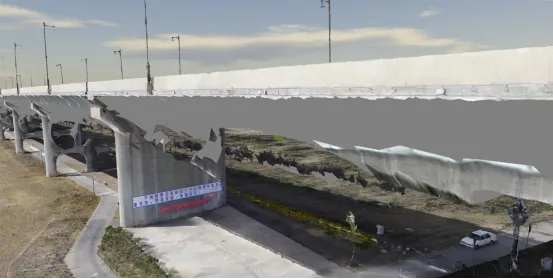 Holes at the bottom of the bridge
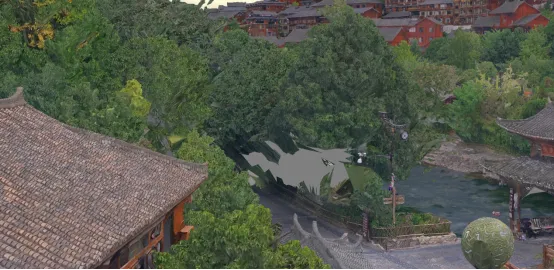 hole under the tree
Typical locations include:
- Bridge undersides
- Overpasses
- Pedestrian bridges
- Dense tree coverage
Cause
During aerial capture:
- Drone cameras cannot see underneath bridges
- Tree canopies block the ground below
- No feature points can be extracted
Without image data, the software cannot reconstruct these areas, resulting in holes.
4. Parapet and Billboard Holes
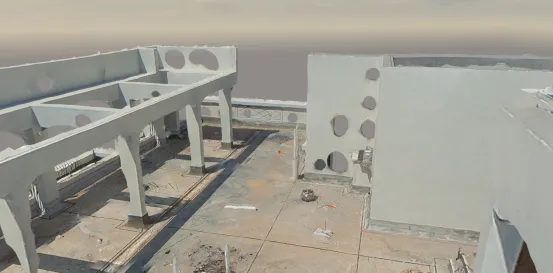 Parapet Holes
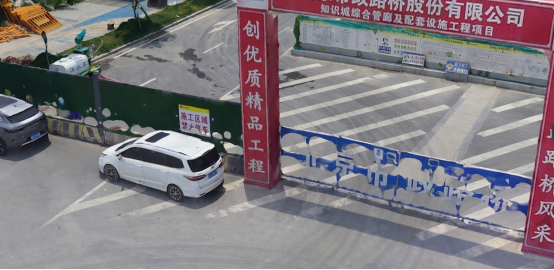 Billboard Holes
This issue affects thin structures such as:
- Parapets
- Billboards
- Fences
- Railings
- Solar panels
Cause
Although these objects are visible from multiple angles, their thin physical structure makes feature extraction difficult. As a result:
- Insufficient feature points
- Weak image matching
- Holes in final 3D models
5. Rooftop Holes
Rooftop holes are common in city-scale modeling projects.
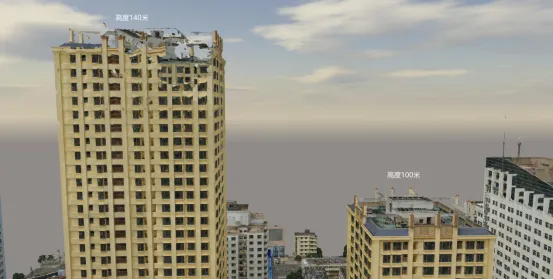
For example:
- A 140-meter building may show large rooftop holes
- A nearby 100-meter building may reconstruct perfectly
Cause: Insufficient Overlap
High-rise buildings require higher image overlap.
Recommended overlap:
- Forward overlap: ≥65%
- Side overlap: ≥55%
If overlap is insufficient:
- Rooftop reconstruction fails
- Large holes appear
Example:
- Flight height: 180 m
- Camera: DG4 Pros
- Ground overlap: 85% / 80%
Results:
- 100 m building rooftop overlap: 70% / 60% → Good
- 140 m building rooftop overlap: 45% / 28% → Poor
This leads to large rooftop holes.
Solutions to Model Hole Problems
After understanding the causes, here are common solutions:
1. KML Boundary Constraints
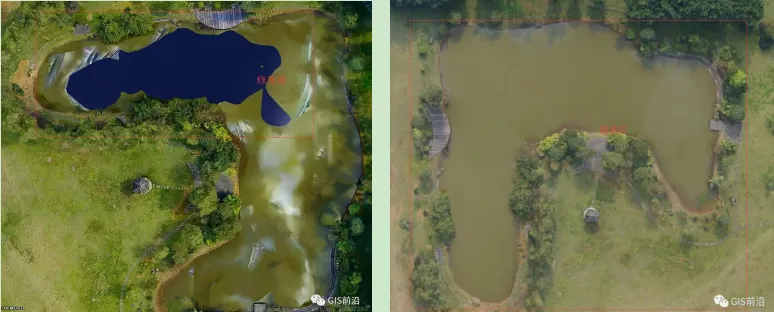
This method is commonly used for:
- Water surface hole repair
- Road flattening
- Grassland surface correction
Advantages:
- Easy to implement
- Effective for large flat surfaces
2. Modeling Software Hole-Filling Settings
Some modeling software provides built-in hole-filling features:
Example setting:
Fill all holes except at tile boundaries
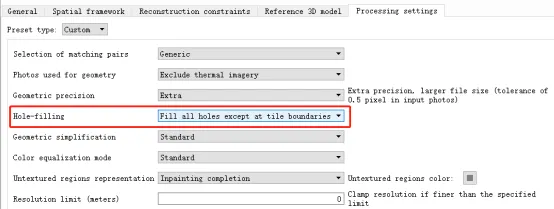
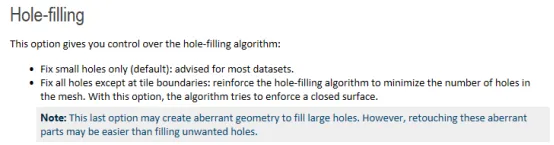
This method can improve:
- Wall holes
- Parapet holes
However, filled surfaces may sometimes appear slightly depressed.
3. Choose Appropriate 3D Modeling Software
Common software includes:
- Smart3D
- ContextCapture
- Mirage 3D
Advantages:
- Automatic water detection
- Hole filling
- Model repair tools
For example:
- Smart3D supports automatic water repair
- ContextCapture supports hole filling functions
High-quality imagery also improves modeling results, especially for glass surfaces.
4. Post-Processing Model Repair
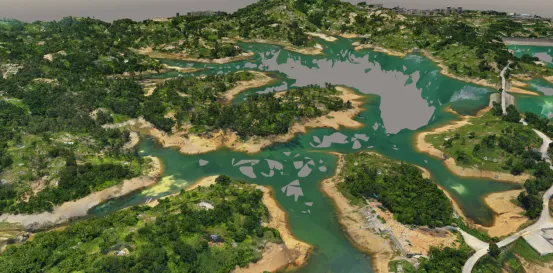
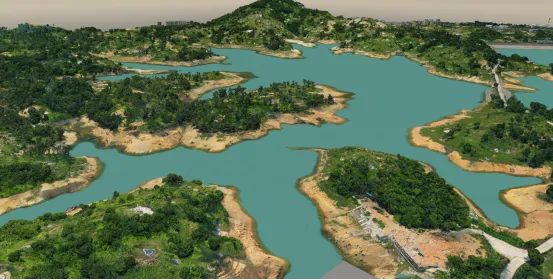
Post-processing tools include:
- SVS MeshEditor
- DP Modeler
Features:
- One-click hole filling
- Texture editing
- Multi-format support
These tools can repair nearly all types of holes.
Improving Model Quality with High-Quality Data Acquisition
In addition to software solutions, high-quality aerial data acquisition is critical.
High-resolution oblique cameras with:
- Large sensors
- Long focal lengths
- High stability
can significantly reduce model holes and improve reconstruction quality.
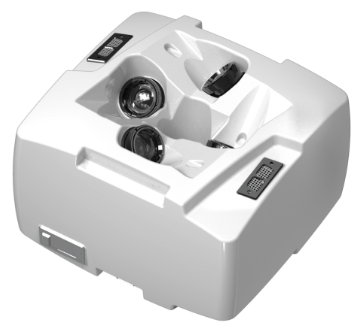
Riebo’s oblique photogrammetry cameras, such as the DG4 Pros and M10 Pro, are designed to address challenges in urban 3D modeling. Their high-quality optics and large-format sensors help achieve better modeling results with fewer flight missions, improving both efficiency and accuracy.
Conclusion
Model holes are a common challenge in oblique photogrammetry, but they can be minimized through:
- Proper flight planning
- Adequate image overlap
- High-quality cameras
- Suitable modeling software
- Post-processing repair
By combining these approaches, users can significantly improve 3D model completeness and quality for applications such as:
- Smart city modeling
- Infrastructure inspection
- Urban planning
- Digital twin development